You can find "Ashaway School Library" on Facebook!
Follow our page to be notified of blog updates!

Showing posts with label robots. Show all posts

Monday, February 25, 2019

Moving Ahead (and Left and Right!) With Beebots


In January I wrote a blog post about helping the kindergarten students learn how to code their Beebots.  Since then they've gotten more time to explore and to try out some other strategies!

The first thing we did was set up the mat with different colored paths for the Beebots to follow.  All of the students start on red (the simplest) and work their way up through orange, yellow, and then green (the most complex).  For students in need of an additional challenge I added pink "bridges" that connected paths into a much longer track!

The first strategy we practiced was physically moving the Beebot after pressing each button.  This helped the students more easily anticipate which direction the Beebot needed to go along the path, step by step.


After all of the students had an opportunity to employ that technique we introduced another strategy: "Driver and Navigator".  (These are terms used in the Code.org curriculum!)  This method pairs students with a partner and ensures that students are working together and taking turns.

The Driver is the student who is allowed to touch the Beebot.  She places the Beebot at the correct spot on the mat and she is the only one who is allowed to press the buttons.  The Navigator gives the Driver directions to follow.  He uses a picture of the Beebot to move along the path (I call the picture "Babybot") to help him determine each step.  When I introduced this concept to the children I asked them to imagine the driver and the person in the passenger seat giving the driver directions.  Of course, the "navigator" is never allowed to reach over and grab the steering wheel!


Since Beebot and Babybot aren't always facing the same way, we added stickers to them both to indicate the left and right turn buttons.  Not only are the students getting extra practice using these words, but their joint programming is going much more smoothly!


Mrs. Geremia, our Tech Fellow, has been an amazing coach for both the students and the teachers!  Thank you SO much for all of your support, encouragement, and amazing ideas, Mrs. G!!!

Saturday, January 5, 2019

Beebot Fun Has Just Begun!

This year I've had the pleasure of working with our kindergarten students as they explore the new robots in their classrooms!  


As part of the Chariho "school specialty" initiative, each grade level at Ashaway School received some sort of robot to use in their classrooms.  (Ashaway's specialty is robotics and engineering!  First grade got Botleys, second grade got Ozobots, third grade got Spheros, and fourth grade got Cubelets!)

The kindergarten classrooms got Beebots, an adorable little bot that is programmable using directional buttons on its back.  Once a week I go into each kindergarten classroom to provide small-group direct instruction on strategies that the students can use to program their Beebot to reach a goal.  We have been having so much fun!

click picture to enlarge
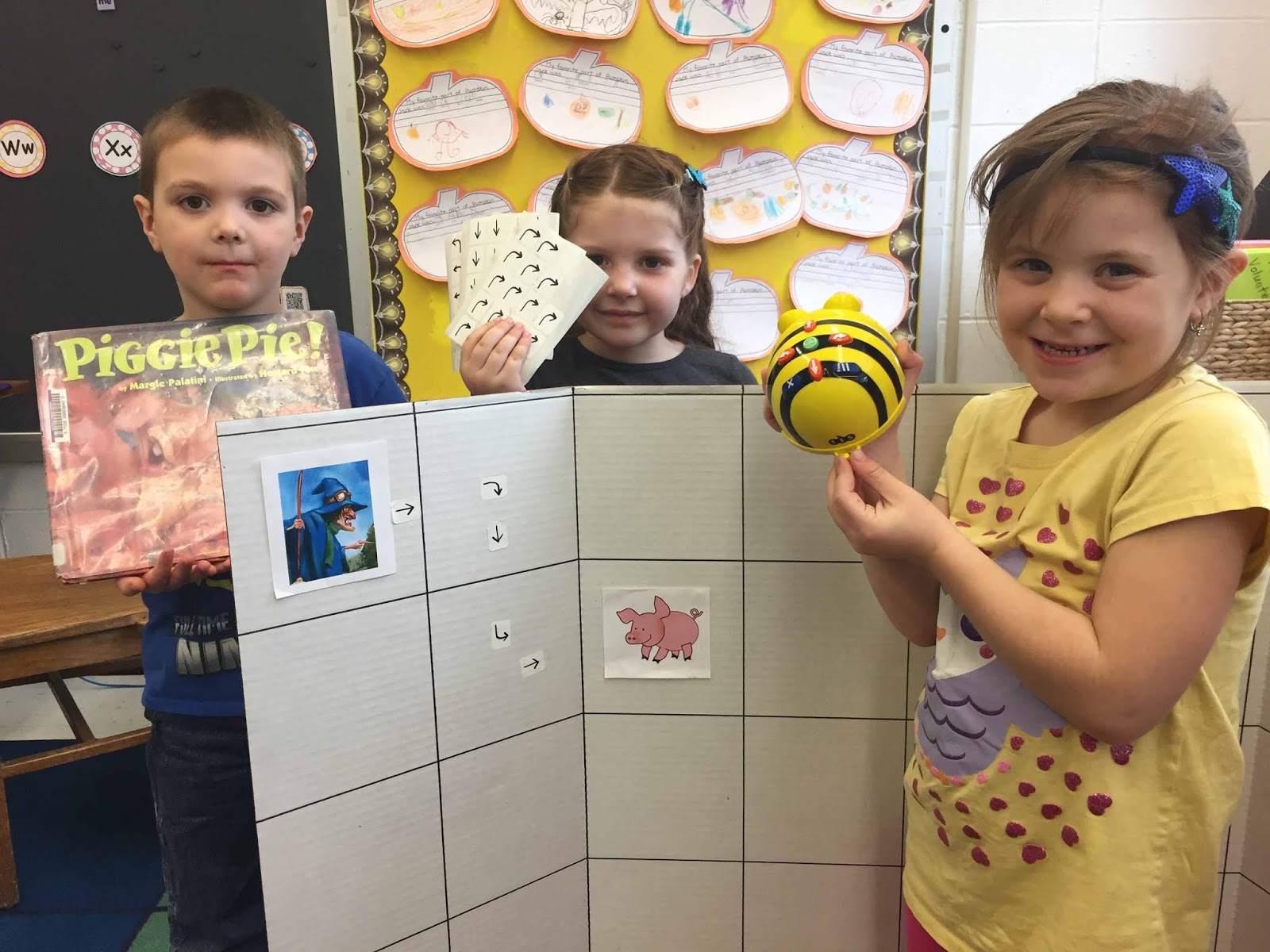
To start we created Beebot mats by drawing a grid on a large piece of cardboard.  (We used triboards that are commonly used for science fair projects because they fold up nicely for storage!)  For the students' first challenge, I added a picture of Gritch the Witch and one of the pigs from Piggie Pie by Margie Palatini to the board.  I had read this story to them in library class and they loved guiding the Beebot from Gritch's square to wherever I had placed the pig!  Of course I reassured them that, just like in the story, the pigs were much too clever to be caught by the witch and would manage to get away every time!  :)

The first strategy we practiced was using arrow stickers to plan out the algorithm (aka the list of steps the Beebot would need to reach its goal).


Once the students had gotten the hang of planning out their algorithms, I added more pigs to the board.  As they continued to practice they had the option of using or not using the stickers.


I never tired of seeing the expressions of joy on the kids' faces when the Beebot successfully reached its goal:

Collaborating on a program


Anticipation...will it work??

YES! Success!!!

Click on the video below to see another group and their moment of joy!


Of course, the Beebot didn't always reach its goal.  We talked about what a "bug in the program" is and I encouraged the students to keep trying.  With some teamwork and persistence they worked on fixing their errors to achieve success! 

We are looking forward to more Beebot fun to come!  Stay tuned!